Small Design Changes That Can Elevate Your Print Materials
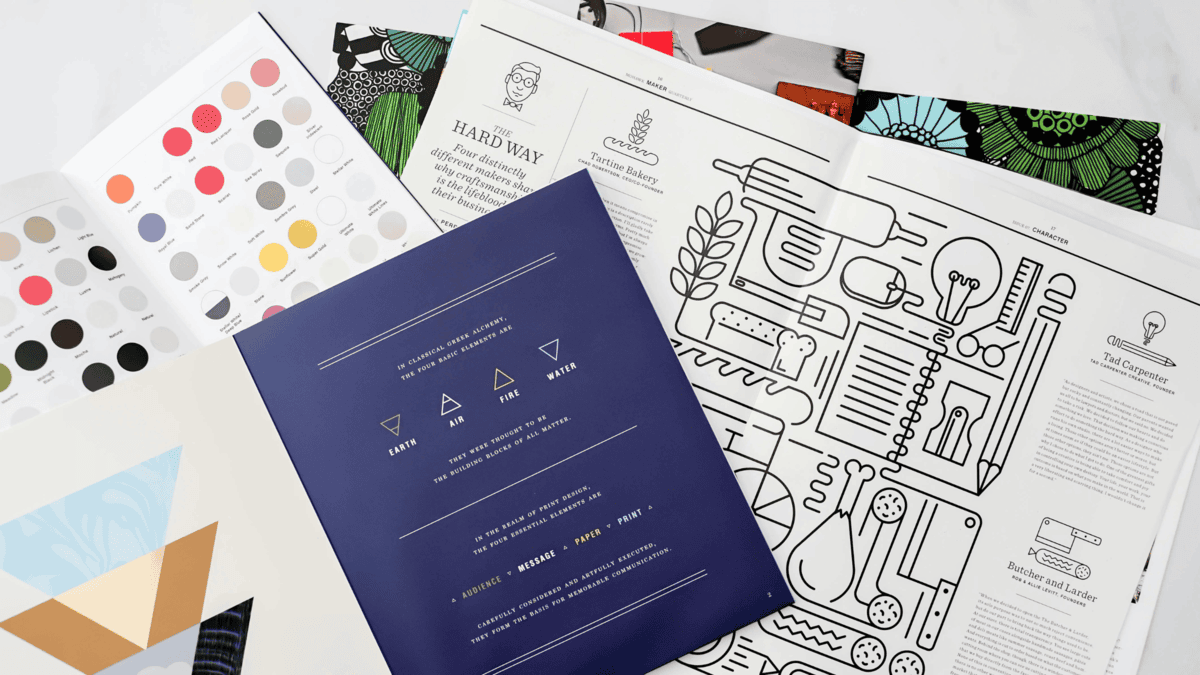
In a world saturated with digital marketing, print materials still hold immense value. A beautifully crafted business card or an eye-catching brochure can leave a lasting impression. Sometimes, the difference between bland and brilliant is in the details. Here are some subtle design tips that can elevate your print materials and make them truly stand out.
1. Play with Typography
Fonts can drastically impact how your material is perceived.
Tip: Use a mix of serif and sans-serif fonts to create contrast and hierarchy. For instance, try using a bold, serif font for headlines and a clean sans-serif for body text.
Why it Works: Serif fonts convey tradition and reliability, while sans-serif exudes modernity and simplicity. This balance keeps the design visually appealing and easy to read.
2. Focus on White Space
Cluttered designs can overwhelm the reader. Incorporating more white space can dramatically improve readability and aesthetic appeal.
Tip: Avoid filling every inch with text or graphics. Instead, allow breathing room around elements to guide the reader’s eye.
Why it Works: White space creates a sense of sophistication and directs attention to key messages.
3. Add Subtle Texture or Finish
Textures and finishes can give your print materials a tactile edge.
Tip: Consider matte, glossy, or embossed finishes for business cards or brochures.
Why it Works: Physical texture adds a sensory dimension that digital materials lack, enhancing the perceived quality of the piece.
4. Incorporate Color Strategically
Color can evoke emotions and influence decision-making. Thoughtful use of color can make your materials more impactful.
Tip: Stick to a limited color palette (2-3 colors) that aligns with your brand identity.
Why it Works: Consistent use of color reinforces brand recognition and ensures that the design doesn’t feel chaotic.
5. Utilize High-Quality Imagery
Low-resolution or generic images can make your print materials look unprofessional.
Tip: Invest in high-resolution images or professional photography. If using stock photos, choose ones that align closely with your brand’s voice.
Why it Works: Sharp, relevant images add credibility and enhance visual appeal.
6. Opt for Unique Shapes and Sizes
Standard rectangular designs work, but unique shapes can make your materials memorable.
Tip: Experiment with rounded corners, die-cut shapes, or square business cards.
Why it Works: Unconventional formats catch the eye and encourage the recipient to keep your materials longer.
7. Prioritize Readability
Your print materials should communicate clearly and quickly.
Tip: Use larger fonts for key information, ensure proper contrast between text and background, and choose legible fonts.
Why it Works: Clear, easy-to-read materials ensure your message is received without confusion.
Small design tweaks can lead to significant improvements in the effectiveness of your print materials. By focusing on typography, white space, textures, colors, and readability, you can create print products that not only look stunning but also resonate with your audience. Elevating your design doesn’t require a complete overhaul—sometimes, the smallest changes make the biggest impact.
SHARE
Request a Quote
Over the years we have accumulated a lot of knowledge about how to create compelling impactful marketing communications. We are here to answer any questions you might have or offer guidance to help take your project from good to GREAT! Give us a call today.
Used by Google Analytics to determine which links on a page are being clicked
30 seconds
_gat
Used to monitor number of Google Analytics server requests when using Google Tag Manager
1 minute
_gid
ID used to identify users for 24 hours after last activity
24 hours
_ga_
ID used to identify users
2 years
_ga
ID used to identify users
2 years
__utmx
Used to determine whether a user is included in an A / B or Multivariate test.
18 months
__utmv
Contains custom information set by the web developer via the _setCustomVar method in Google Analytics. This cookie is updated every time new data is sent to the Google Analytics server.
2 years after last activity
__utmz
Contains information about the traffic source or campaign that directed user to the website. The cookie is set when the GA.js javascript is loaded and updated when data is sent to the Google Anaytics server
6 months after last activity
__utmc
Used only with old Urchin versions of Google Analytics and not with GA.js. Was used to distinguish between new sessions and visits at the end of a session.
End of session (browser)
__utmb
Used to distinguish new sessions and visits. This cookie is set when the GA.js javascript library is loaded and there is no existing __utmb cookie. The cookie is updated every time data is sent to the Google Analytics server.
30 minutes after last activity
__utmt
Used to monitor number of Google Analytics server requests
10 minutes
__utma
ID used to identify users and sessions
2 years after last activity
_gac_
Contains information related to marketing campaigns of the user. These are shared with Google AdWords / Google Ads when the Google Ads and Google Analytics accounts are linked together.
90 days
Marketing cookies are used to follow visitors to websites. The intention is to show ads that are relevant and engaging to the individual user.